
Death Clock for Mac — Menu Bar Life Countdown & Week Calendar
A Mac death clock works as an everyday reminder when it stays close. Life Years Left puts your life countdown in the menu bar and gives every week a place in a visual calendar.
Try the free death clock calculator →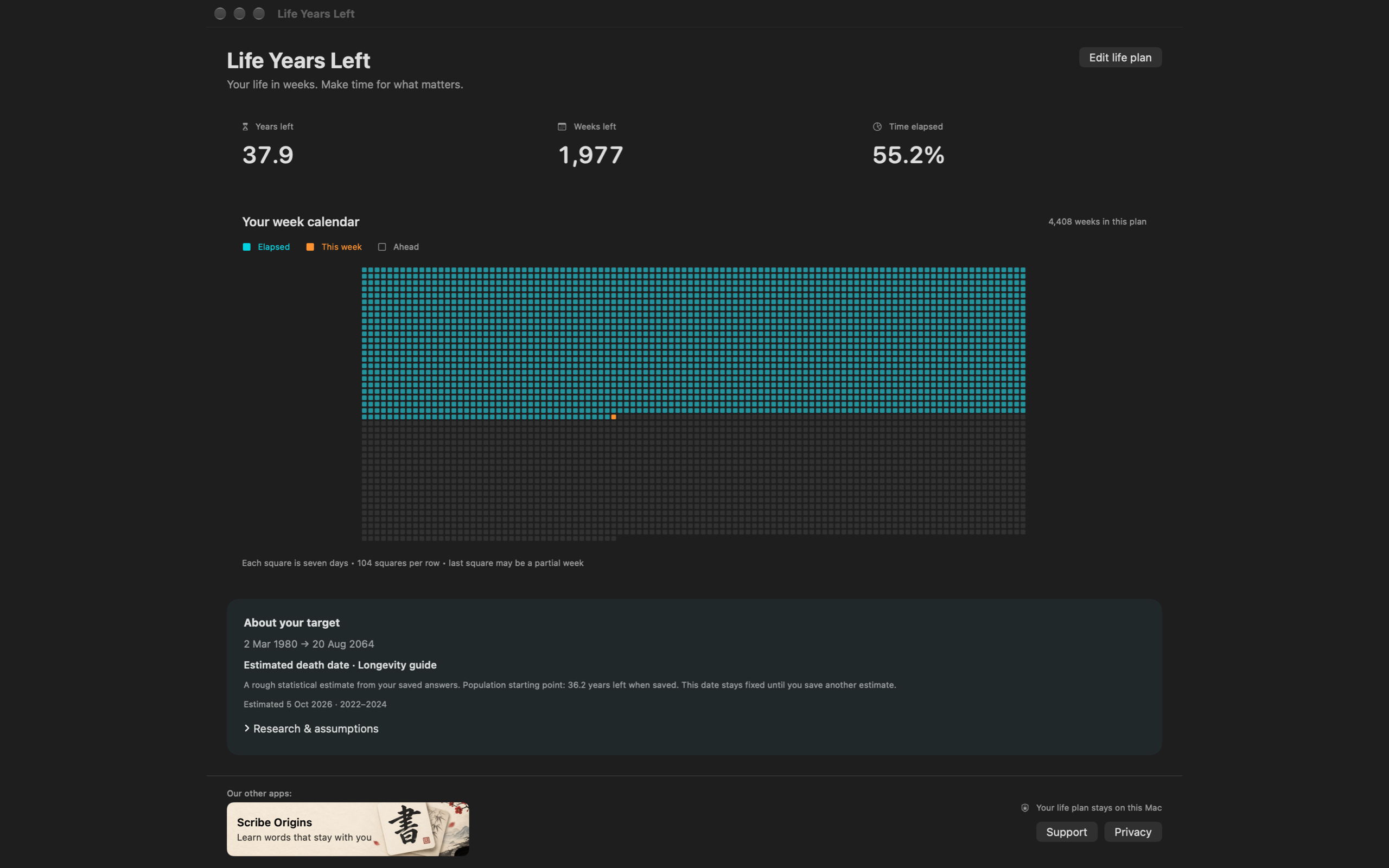
1. Choose what your death clock counts down to
Open the Life plan tab in Settings. Choose a target age and your birth date, use a population estimate from an Australian or US life table, or set a custom range between dates. A personal milestone works too.
The population option uses remaining life expectancy at your current age and saves the estimated target. It does not move the end date every time you glance at the countdown.
2. Read your years left in the menu bar
The menu bar can show your remaining time, percentage and a coloured progress bar. Display controls let you choose the format, decimals, colours and refresh interval.
Click the countdown to open the app menu, calendar and Settings. Open at Login is available in both the normal-click and right-click menus. Command–comma opens Settings.
3. See your life in weeks
Open the calendar for your years left, weeks left and time elapsed. Each square represents seven calendar days. The calendar distinguishes elapsed weeks, this week and weeks ahead. The last square may represent a partial week.
The native window fits the available screen area, and smaller windows can scroll. Edit your life plan whenever your preferred target changes.
4. Explore the Longevity guide if you want a scenario
The guide asks about birth date, body measurements, activity, alcohol, vegetables, happiness, optimism, stress and social contact. Blank or unusable answers are skipped. Only choosing “Use this date” saves the guide answers and target in your Mac preferences.
The combined model is a research-informed planning scenario. It is not clinically validated as a personal death forecast. Sources and assumptions are available in the result’s Research & assumptions section. Read the death clock research guide.
Mac requirements and availability
Life Years Left is native to macOS and supports macOS 13 or later on Intel and Apple silicon. No account is required for the life calendar. Your app life plan and health answers stay on your Mac.
The app is built; the public Mac App Store link is being prepared. Request the release link or email yourself a free death clock estimate today. Compare the experience with Moment, WeCroak and Death Clock.
Common questions
Does the Mac death clock need an account?
No account is required to use the local Life Years Left calendar. Optional app registration and website email results are separate explicit actions.
Does my health data leave the Mac app?
The app life plan and Longevity guide answers are stored locally. The website calculator separately submits the details needed to email a population estimate only after you choose Email the result.
Can I set my own death clock target?
Yes. Choose a target age or custom date range in Life Years Left instead of a statistical estimate.