
Your Life in Weeks: Life Calendar, Weeks Left & Mac Countdown
A life calendar represents a chosen lifespan as blocks of time: one square for each week. Life Years Left places completed weeks, this week and the weeks ahead together, so a distant target becomes something you can see.
Get my free death clock estimate →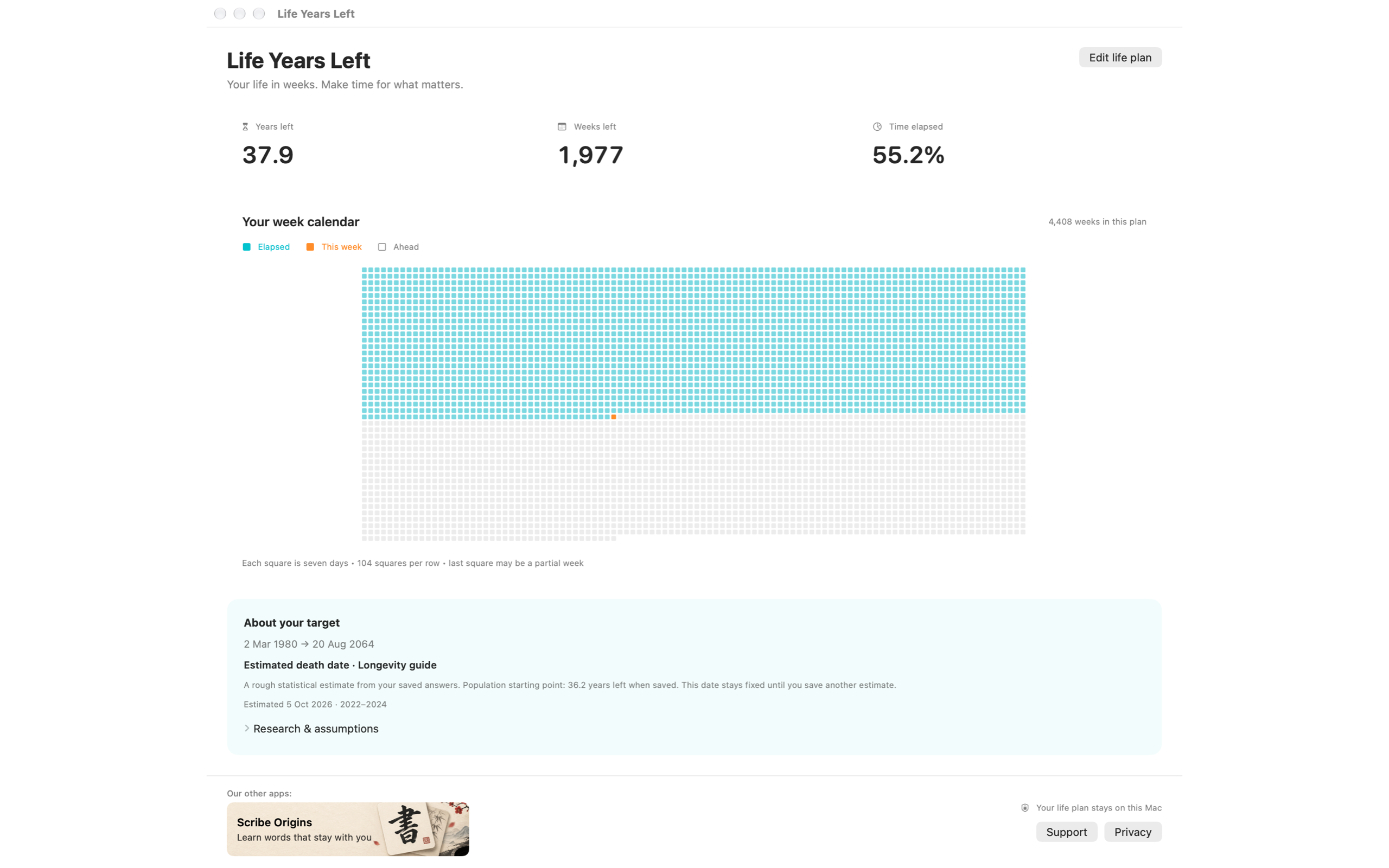
How many weeks are in an 80, 85 or 90-year life?
A year averages about 365.2425 days in this app’s duration conversion. Divide by seven for approximately 52.18 weeks per year. Multiplying by a chosen target gives these rough totals:
| Chosen target age | Approximate seven-day weeks |
|---|---|
| 80 | 4,174 |
| 85 | 4,435 |
| 90 | 4,696 |
These are arithmetic examples, not life expectancy estimates. The actual Mac calendar counts days between your selected dates and rounds the total up to include a final partial week. A simple “52 weeks per year” grid omits a little more than one day per year.
How to read the Mac life calendar
- Completed weeks: seven-day blocks already elapsed within your plan.
- This week: the current block, highlighted separately while the plan is underway.
- Weeks ahead: the blocks between now and your chosen target.
- The last square: a full week or a partial block at the end of the range.
The app arranges the grid in 104 columns to fit the native window. Two years are roughly 104 weeks, but a row is not an exact pair of calendar years. Follow the legend and the elapsed/remaining counts rather than reading rows as birthdays.
A chosen target and a statistical estimate are different starts
Say you are exactly 40 and choose a target age of 85. That gives about 45 years, or roughly 2,348 weeks, ahead under your chosen frame. You have selected the target; the app has not predicted it.
A population estimate instead looks up remaining life expectancy at your current age. The target can therefore differ from 85. See remaining-years examples by age or email yourself a calculator result.
You can change the Mac life plan later. A saved target gives the countdown a stable reference while you decide what to do with the time.
Turn one square into something on your schedule
A calendar supplies perspective; your regular calendar supplies a plan. Try one of these small prompts when you look at the grid:
- A project: which first step could fit into one evening this week?
- A person: who would you like to arrange a visit or call with?
- An experience: what date could you actually put aside for something you keep calling “someday”?
These are ways to use the visual reminder. We do not claim measured productivity gains or extra years of life from using a week calendar.
Keep your life in weeks on your Mac
In Life Years Left, save a plan in Settings → Life plan, choose Weeks in Display, and open Life calendar from the menu bar. Open at Login is available if you want the countdown nearby each day.
The app supports macOS 13+ on Intel and Apple silicon. Your plan stays local, and no account is required for the calendar. Read the setup guide or request the public release link.
Common questions
How many weeks are in an 80-year life?
Using 365.2425 days per year, 80 years is approximately 4,174 seven-day weeks. This is a chosen-duration example, not a prediction that someone will live to 80. Exact calendar dates and a final partial week can change the displayed count.
Is each row of the life calendar one year?
No. Life Years Left arranges its native grid in 104 columns. Each square covers seven days, and rows are a layout choice rather than exact calendar years.
Do I need a death date estimate to make a life calendar?
No. You can choose a target age or your own start and end dates. A population estimate and the separate Longevity guide are other optional starting points.